After months of more and more prevalent crashes in D2R, I finally opened OCCT and realized that I successfully smoked a blower type RTX 2080 Ti, thanks to not paying attention to its completely inadequate cooling, which is inherent to blower type GPUs.

I tried reducing GPU clock, VRAM clock, power target, increase fan speed, everything. Then I tried using separate PSU cables, heck, I even ordered a new PSU just to completely rule out a faulty PSU, but nope, nothing would help. All it did was delay the inevitable, and instead of a few seconds, it would only crash after a few minutes. The GPU is done, rest in rip. It may be useful as a donor card, but that’s about it.
Thankfully, a friend of mine was awesome enough to gift me an unused GTX 1660 (thanks again, Shenk 🫶). After this fiasco, my first thing to do was test it in OCCT, of course. And it was error free, but…
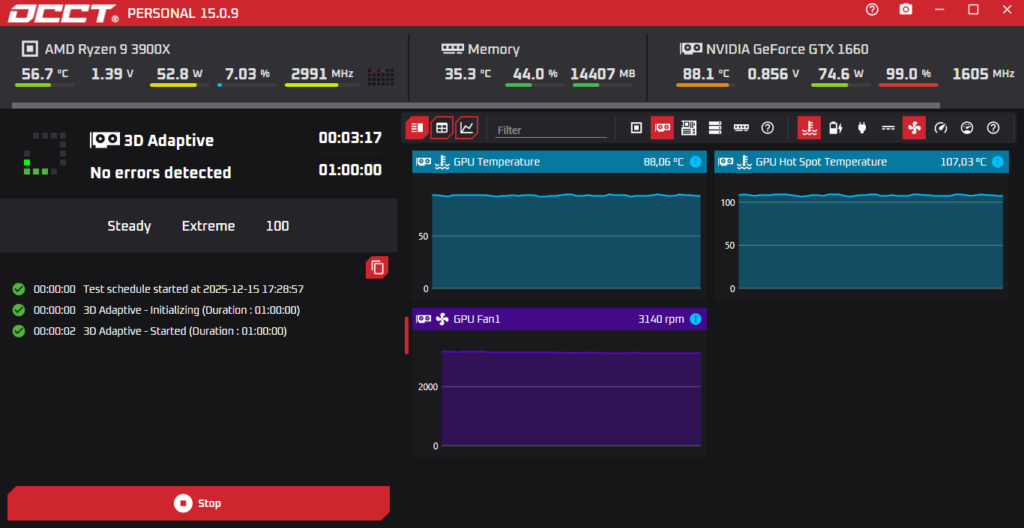
Holy Molly, that’s not looking hot – figuratively, that is. But literally, quite the opposite. That GPU is burning itself alive, hot damn… 120W TDP card throttling down to 75W, and still going up to 108C, with a fan spinning at 3140 RPM, geez Lois, that’s just horrible. After some research I found that this specific model, the Asus Phoenix GTX 1660 OC is actually notorious for having atrocious thermals. Wow, that’s a rocky start indeed. But I’m not giving up. I decided to give repasting a go. For this you need:
- Thermal paste – for this, Thermal Grizzly is objectively the best.
- 99% isopropyl alcohol (IPA) – yes, you can use rubbing alcohol, it’s just a 70% IPA, but 99% IPA is the best. No, do NOT use WD-40, ever.
- Dust remover spray to clean out the fans, just make sure not to overuse it and freeze up the board lol.
- Optionally, new thermal pads for your VRAM / VRM / whatever modules on the GPU board.
So I went ahead and disassembled the card, which was actually really easy with this card. You just have to remove the 4 screws that hold the heat sink in place, unplug the wire that powers the fan, and you’re done. Then you can remove the thermal paste residue with IPA and clean out the fans with compressed air:
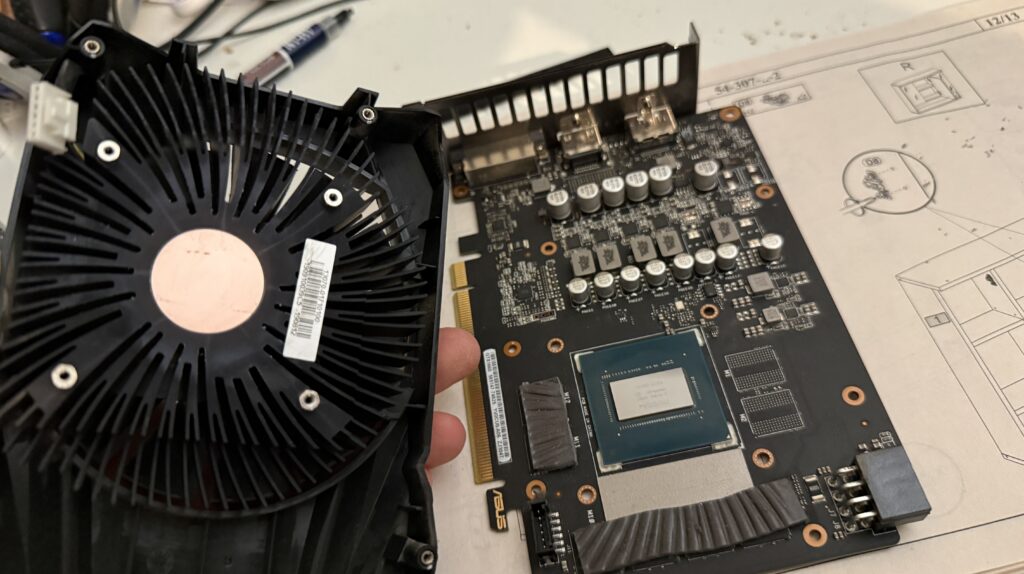
Then apply some fresh thermal paste, plug back in the fan, install the screws, and you’re done. Now let’s check the thermals again:
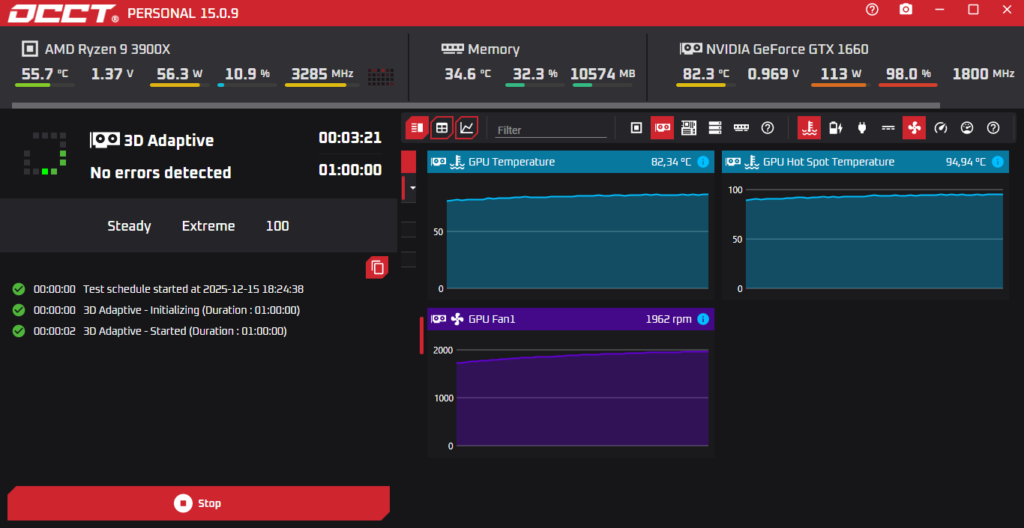
Lolwat? That’s quite ridiculous, innit?
| Before | After | |
|---|---|---|
| Throttling | 38% | 6% |
| Fan Speed | 3140 RPM | 1962 RPM |
| GPU Hot Spot Temperature | 107 °C | 95 °C |
That’s an easy win if I ever saw one.
Bottom line: never underestimate the power of thermal paste. Even if it looks hopeless, give it a try, it might breathe new life into your overheating GPU. And make sure to check your thermals every now and then, and repaste your GPU whenever it’s deemed necessary.